Wi-Fi Setup
Kamoji needs to join your Wi-Fi network once before it can check for firmware updates, new animations, or new sound effects.
-
On your phone or laptop, connect to the "Kamoji Neural Link" Wi-Fi network that Kamoji broadcasts (the full name may have a short ID suffix, e.g. "Kamoji Neural Link 32A4"). The password is
originallyus.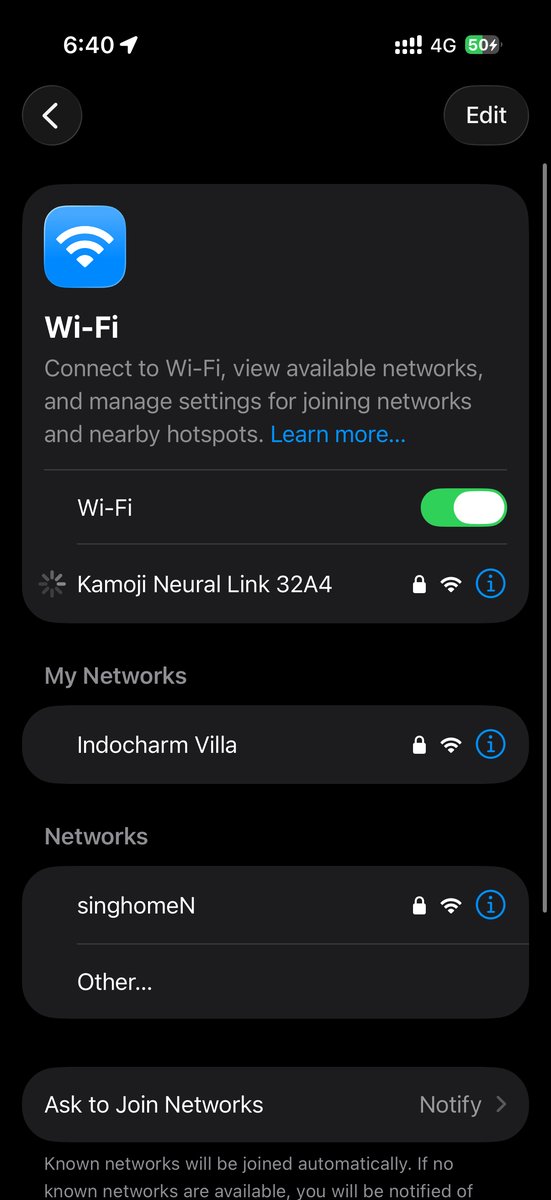
-
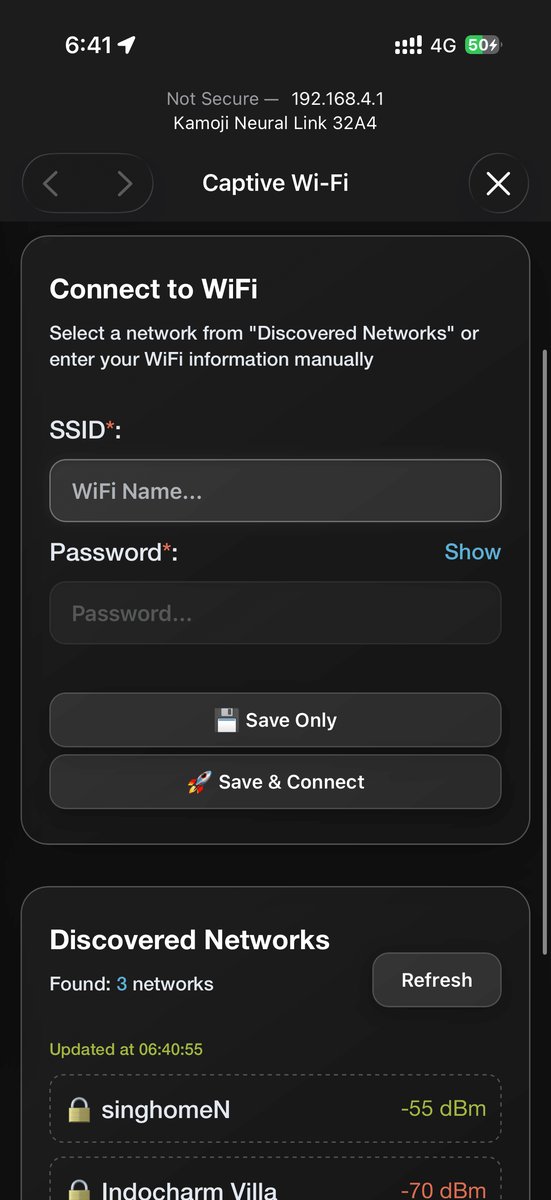
Kamoji's Wi-Fi configuration page opens automatically once you're connected.
-
Either enter your Wi-Fi network name and password manually, or pick a network from the discovered list, then save.
Kamoji only supports 2.4GHz Wi-Fi networks — if your router broadcasts separate 2.4GHz and 5GHz networks, connect Kamoji to the 2.4GHz one.
Once configured, Kamoji automatically reconnects to that network whenever it's in range — you only need to do this setup once per network.
See OTA Updates for what Kamoji does once it's online.